A dose tracker that knows what's due, what's done and what's next
PillPip's Today screen groups doses by time. Tap Taken, snooze or skip with a reason, even offline. Keep a dose history and export 90 days as CSV for your doctor.
- Today screen grouped by time
- Take now for a whole group
- Skip with a reason and a note
- Early-take lock
- Offline answers that sync later
- Dose history
- 90-day CSV export
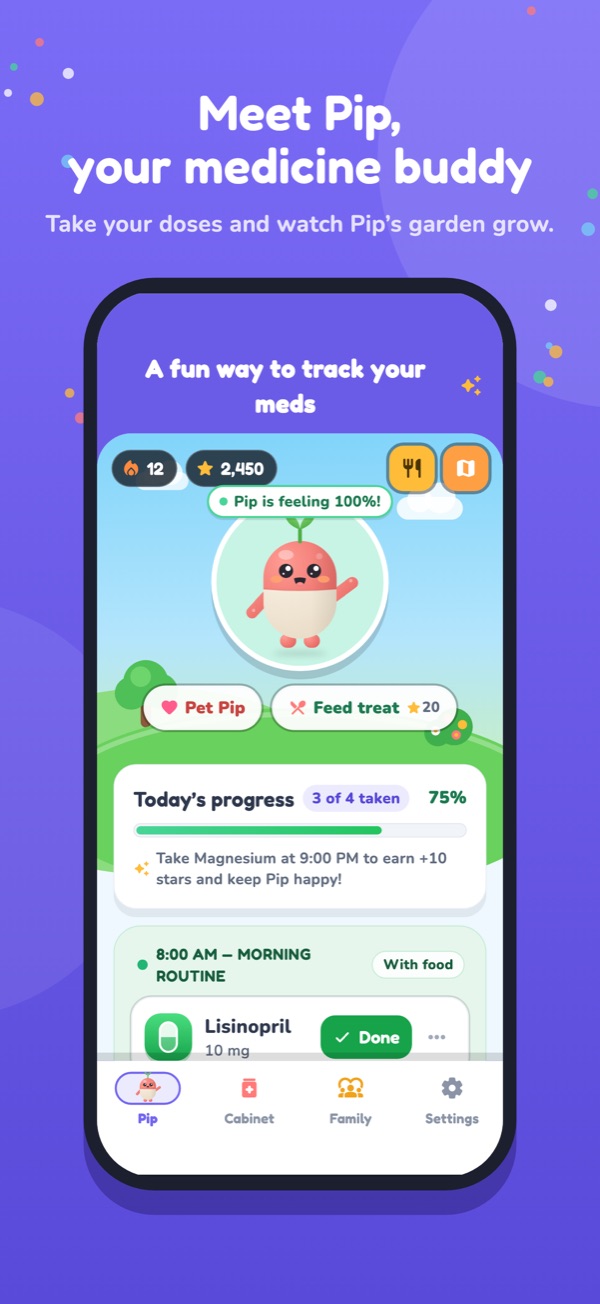
Did I take the morning one? It's the most common question in medicine, and the hardest to answer at 11 AM.
PillPip's Today screen answers it in a glance. Doses are grouped by time, each one marked as due, upcoming or done. When the doctor asks how the last few months went, you can hand over a spreadsheet instead of a guess.
Today, grouped by time
Morning pills together, evening pills together. Each group has a Take now button for the whole group and More options for anything else.
Three honest answers
- Taken
- Marks the dose done and stops its reminders.
- Remind me in N minutes
- Snooze for as long as you need. PillPip comes back.
- Skip, with a reason
- Pick Felt unwell, Ran out, Prescriber advised, Took it earlier or Other, and add a note if you like. Your doctor sees why, not just that.
No accidental early ticks
The early-take lock opens Taken only 30 minutes before a dose. Tap it earlier and PillPip explains why, so tomorrow's dose doesn't get ticked off by mistake today.
Works offline, never double counts
Your answers save on the phone first and sync later. Duplicates are ignored, and "Waiting to sync" shows until each one goes through, so you always know what has reached your family.
History and a CSV for your doctor
The History screen lists what you reported, any earlier updates, skip reasons and sync state. Export the last 90 days of doses as a CSV spreadsheet to share at your next appointment.
History records what you reported. It is not proof that a medicine was taken.
Free. No sign-up. No ads.
PillPip: Medication Reminder is coming soon to iPhone, iPad and Android.
Dose tracker & history: questions
Can I export my medication history?
Yes. PillPip exports the last 90 days of doses as a CSV spreadsheet you can open in Excel, Numbers or Google Sheets, or share with your doctor.
Why can't I tap Taken early?
Taken opens 30 minutes before a dose. This stops you ticking off a later dose by mistake. Tap it early and PillPip explains why.
What does "Waiting to sync" mean?
You answered while offline. The answer is saved on your phone and syncs automatically when you're back online. Duplicates are ignored.
More PillPip features
Pill reminders & loud alarm
A heads-up, follow-ups, then a loud alarm that rings even on silent. Reminders stop the moment you answer.
Medicine cabinet & schedules
Dose, notes, pill shape and colour, a photo, and schedules from daily to every N days or as needed.
Focus Mode
An opt-in check-in that stays until you answer, and can pause your other apps. Calls always work.
Family & caregiver alerts
Invite by ID or QR, see today's doses, manage a parent's medicines and get a siren when a dose goes unanswered.
Health tracker & symptom log
Mood, pain, weight, blood pressure, water, running and your own trackers, with a calendar and reminders.
Pip, streaks & rewards
Earn stars, level up, keep a streak and unlock 9 achievements that Pip wears with pride.
Lock screen, widgets & Live Activity
Pip's face for today on the lock screen and home screen, and a Live Activity countdown on iPhone.
Privacy & no sign-up
No account, email or password. A random PillPip ID, no ad SDKs and one-tap control of your data.
PillPip is a reminder and organizer. It records what you report, doesn't prove a medicine was taken, and isn't medical advice or an emergency service. Always follow your prescriber or pharmacist. Read the PillPip Terms of Use and Privacy Policy.