A medication reminder with no sign-up, no email and no ads
PillPip needs no account, email or password. You get a random PillPip ID, no ad SDKs, secure tokens and full control to delete your data. Built private from day one.
- No sign-up screen
- Random PillPip ID
- No hardware identifiers
- No ad SDKs
- Manage devices
- Delete account & data
- Larger text built in
Your medicine list says a lot about you. Most apps want an email, a password and permission to show you ads before they'll remind you about a tablet.
PillPip asks for none of that. Open it and you're in. Your identity is a random PillPip ID, your health logs stay on your phone, and there are no advertisers anywhere in the app.
No account, no email, no password
- A random PillPip ID
- On first launch the app registers itself and gives you an ID like MED-8F29K6.
- No hardware identifiers
- The app makes a random install ID plus a secret and keeps both in the iPhone Keychain or Android Keystore.
- Offline first launch
- Today opens anyway and says "finishing setup when you're online". It retries later without creating a duplicate account.
- Reinstalling
- On iPhone a reinstall usually brings back the same PillPip ID. On Android a reinstall gives a new ID.
You're in control
- Display name
- The name family you connect with will see.
- Copy ID and Share ID
- Send your PillPip ID to family in one tap.
- Phones using your ID
- See every device on your ID and remove one. A removed device loses access straight away.
- Reset this device
- Start over with a new PillPip ID.
- Delete my account & data
- Type DELETE to erase your ID, medicines, history and family memberships. Can't open the app? A public delete-account page is linked from the store listings.
Security under the hood
Login tokens expire after 15 minutes, and refresh tokens change on every use. If an old refresh token is ever used again, that device is revoked. Sign-up and refresh attempts are rate-limited.
What stays on your phone
- Health logs
- Mood, pain, blood pressure and every other tracker.
- Pill photos
- Never uploaded.
- Family nicknames
- "Mum" stays on your phone only.
- A copy of your medicines
- Cached so Today and reminders work offline. Adding or editing medicines needs a connection.
No advertisers. Anywhere.
PillPip has no ad SDKs. Medication data is never shared with advertisers. Audit logs never store medicine names.
Easy to read, easy to use
Text is 12% larger than your system text size, up to 2.2×. Four simple tabs: Today, Cabinet & Health, Family and Settings. A Terms & Privacy screen on first run links to the full documents.
Free. No sign-up. No ads.
PillPip: Medication Reminder is coming soon to iPhone, iPad and Android.
Privacy & no sign-up: questions
Does PillPip need an email or phone number?
No. PillPip has no sign-up. It creates a random PillPip ID such as MED-8F29K6 on first launch.
Does PillPip show ads or sell my data?
No. PillPip has no ad SDKs, and medication data is never shared with advertisers.
How do I delete my PillPip data?
Go to Settings and choose Delete my account & data, then type DELETE. It erases your PillPip ID, medicines, history and family memberships.
Do I keep my PillPip ID if I reinstall?
On iPhone a reinstall usually brings back the same PillPip ID, because it's kept in the Keychain. On Android a reinstall gives you a new ID.
More PillPip features
Pill reminders & loud alarm
A heads-up, follow-ups, then a loud alarm that rings even on silent. Reminders stop the moment you answer.
Dose tracker & history
Today's doses grouped by time, Taken / snooze / skip with a reason, full history and a CSV for your doctor.
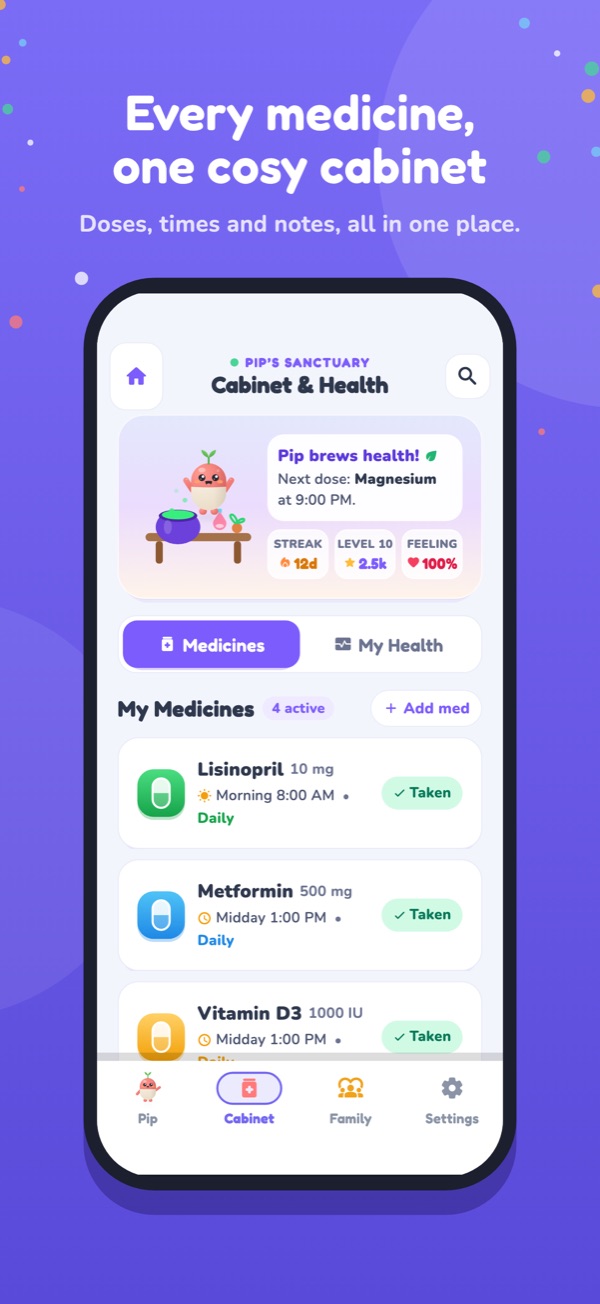
Medicine cabinet & schedules
Dose, notes, pill shape and colour, a photo, and schedules from daily to every N days or as needed.
Focus Mode
An opt-in check-in that stays until you answer, and can pause your other apps. Calls always work.
Family & caregiver alerts
Invite by ID or QR, see today's doses, manage a parent's medicines and get a siren when a dose goes unanswered.
Health tracker & symptom log
Mood, pain, weight, blood pressure, water, running and your own trackers, with a calendar and reminders.
Pip, streaks & rewards
Earn stars, level up, keep a streak and unlock 9 achievements that Pip wears with pride.
Lock screen, widgets & Live Activity
Pip's face for today on the lock screen and home screen, and a Live Activity countdown on iPhone.
PillPip is a reminder and organizer. It records what you report, doesn't prove a medicine was taken, and isn't medical advice or an emergency service. Always follow your prescriber or pharmacist. Read the PillPip Terms of Use and Privacy Policy.